In-app chat for Utility Warehouse: from discovery to a broadband support pilot
The challenge
Too many Utility Warehouse customers phoned for things they could already do in the app: checking a bill, sorting out an overdue balance, getting broadband working again. Every avoidable call means longer queues for the customers who really need a person, and advisors spending their day on simple, repetitive requests.
UW already had a chatbot on WhatsApp. It had helped with frequently asked questions, but it could only answer questions, not resolve anything, and it sat outside the app. The question for this discovery was whether chat inside the app, able to understand context and take simple actions, could change how customers looked for help, and what it would take for them to trust it.
Starting from what customers had already told us
The discovery began with the research the team already had: transcripts and feedback from the WhatsApp bot, a customer survey and interviews, an assumption-mapping workshop, an operations playback and a competitor review. Pulled together, it said something uncomfortable. Most customers didn’t want a chatbot at all.
- Calling was the channel customers trusted most: 70% said so, and more for urgent, complex or emotional problems.
- Confidence in bots was low: about three in four didn’t believe a chatbot could resolve their issue, usually because of poor bots elsewhere.
- Customers expected a person: many asked for one as soon as the WhatsApp bot introduced itself, and 12% phoned while their chat was still open, because nothing told them how long they would wait.
- Questions were hard to read: one word (“broadband”), an account number on its own, or a description with no context (“it stopped working this morning”).
That changed the brief. Adding a chat window would be easy; the work was in designing a chat experience customers would trust: clear about what it can do, quick to prove it, and honest about when a person will take over.
Learning from other apps
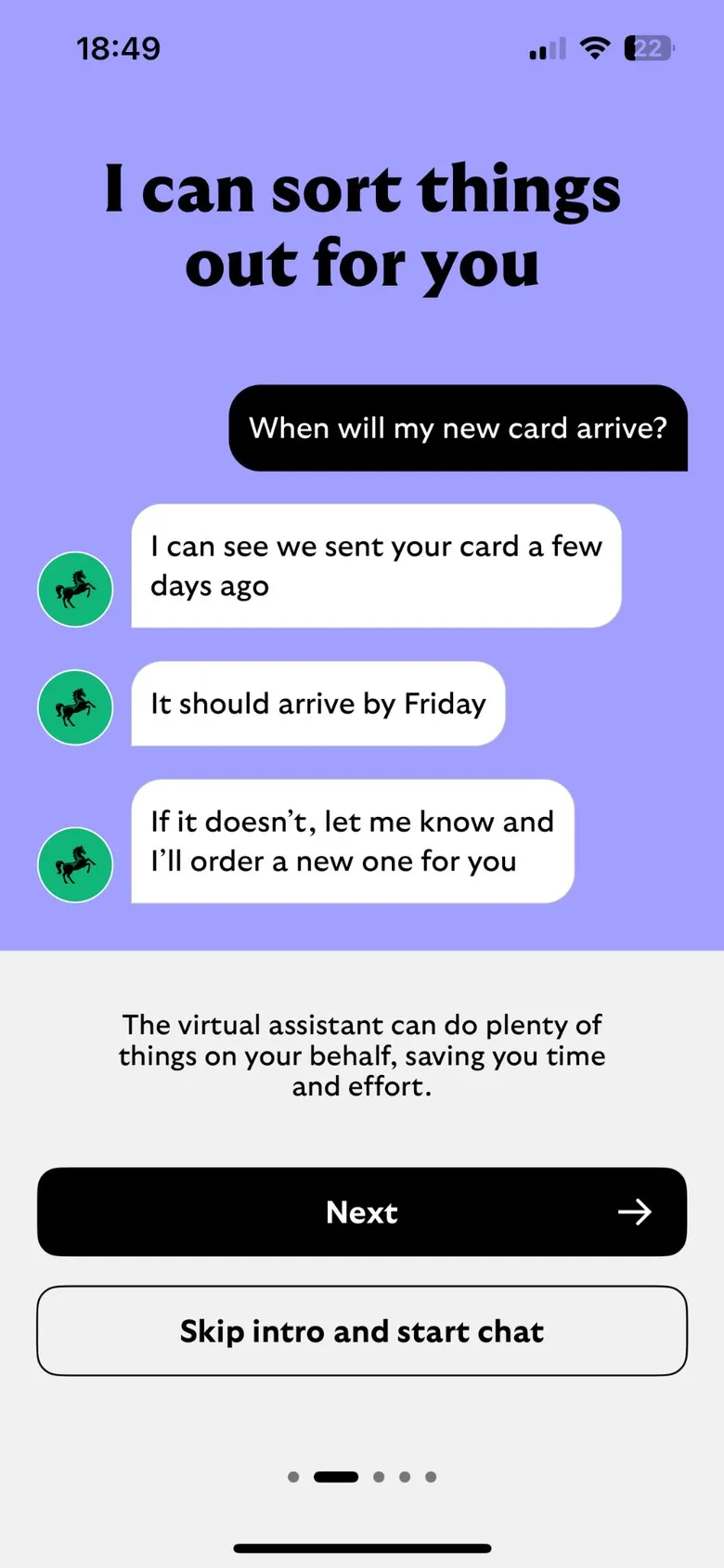
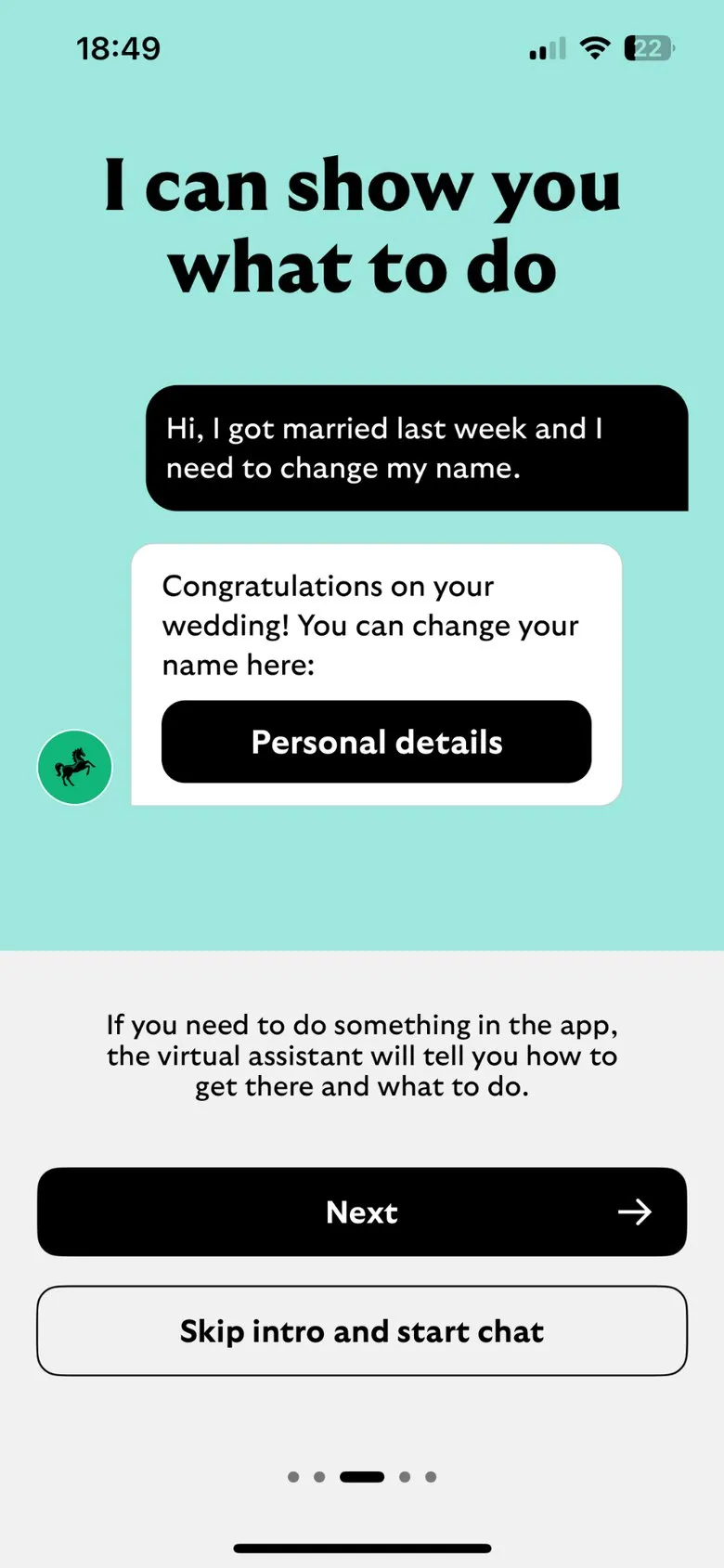
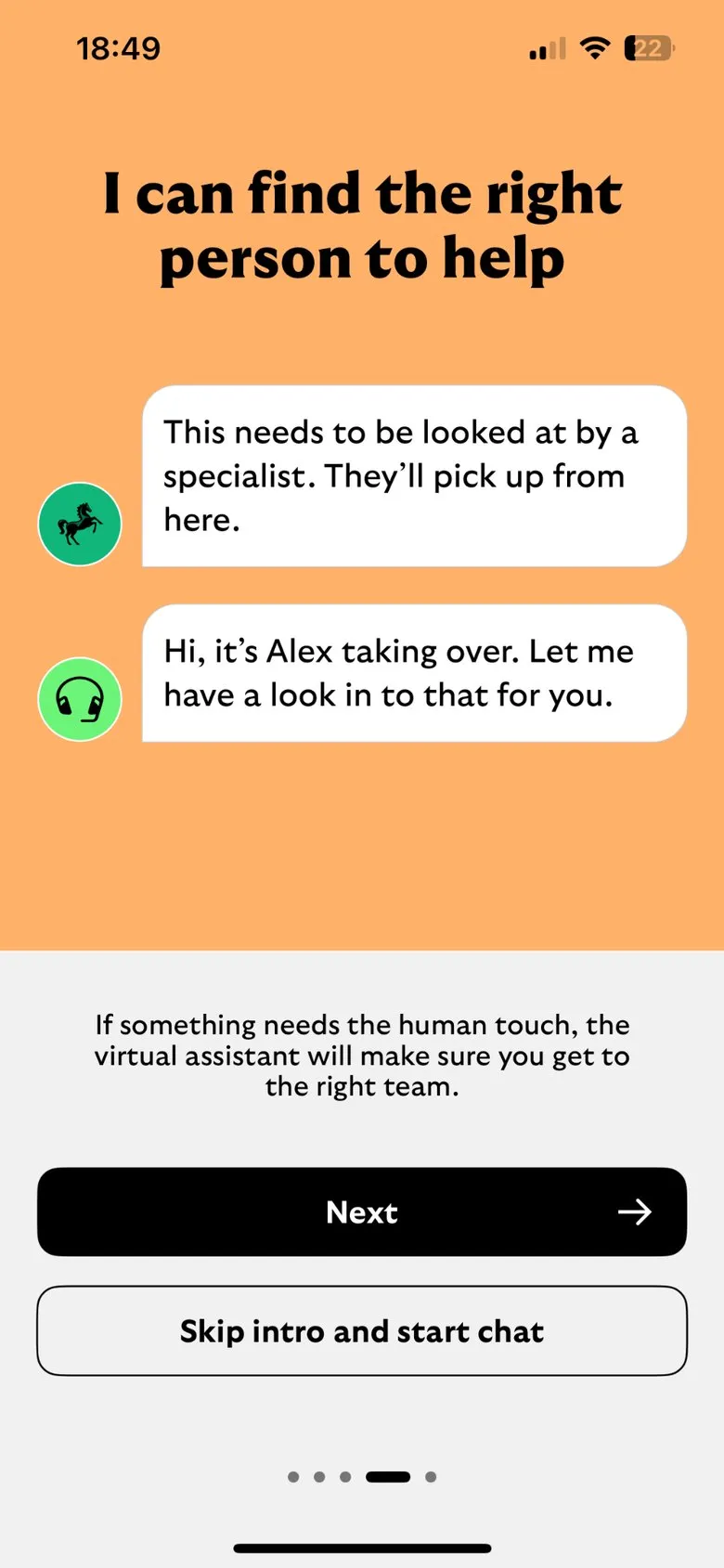
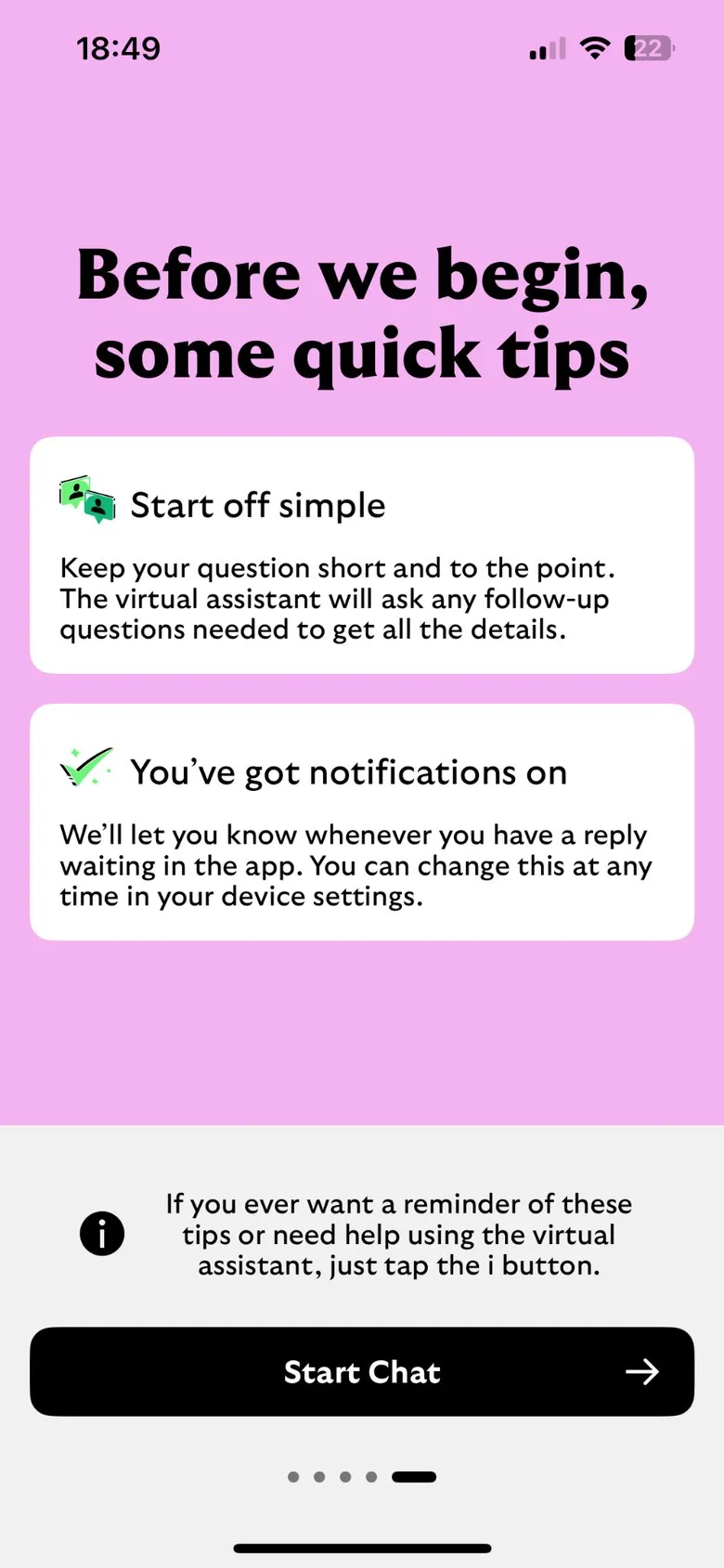
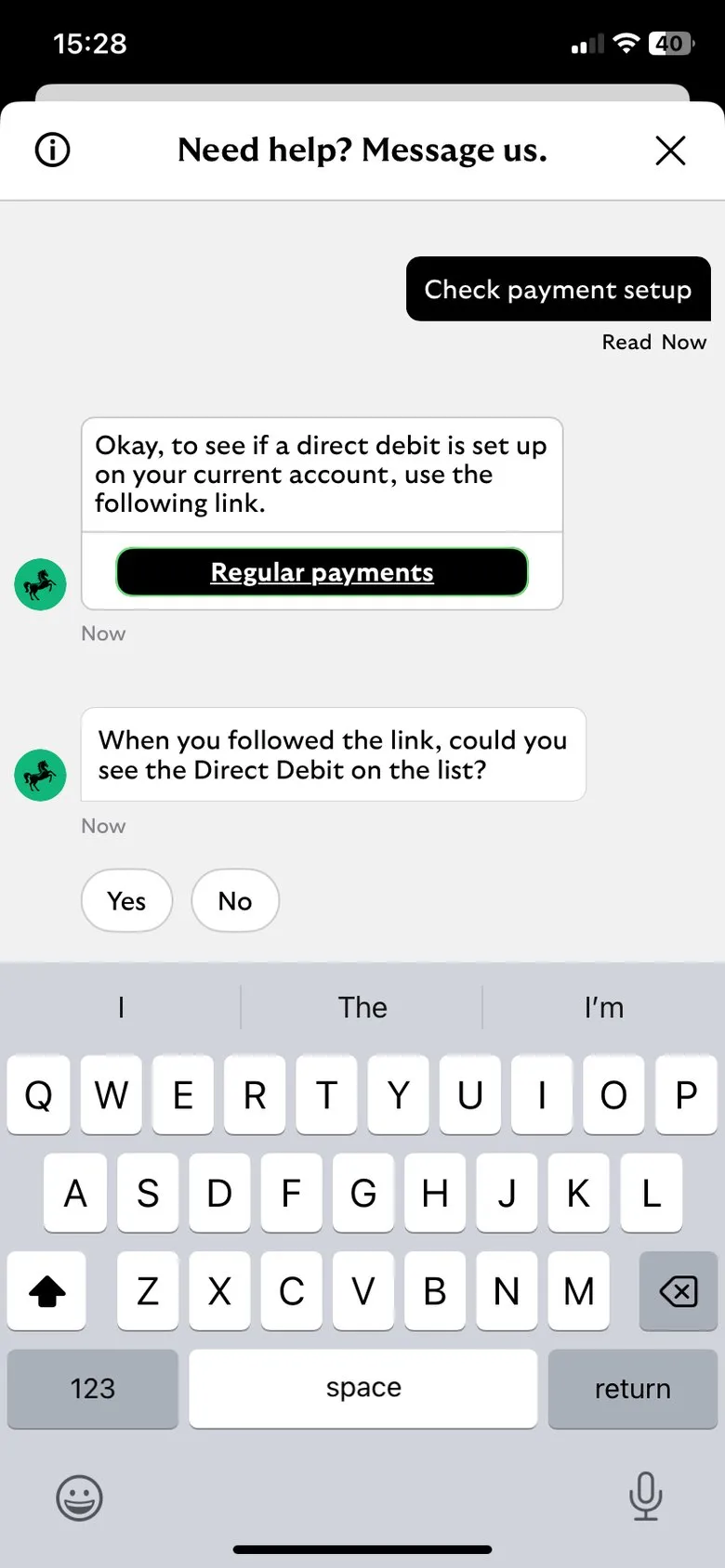
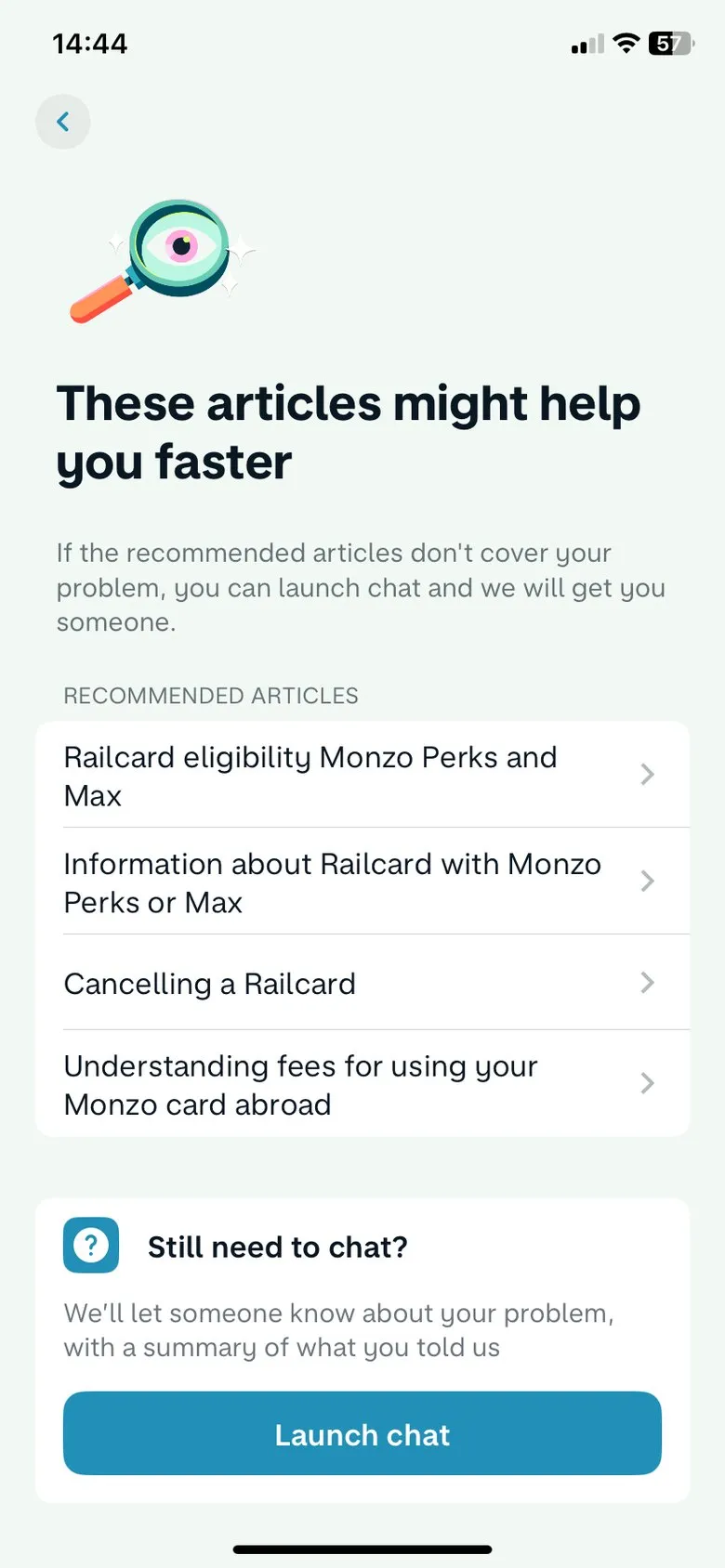
We reviewed seven apps’ chat and help experiences side by side, scoring each on how easy chat was to find, how relevant the answers were and how easy it was to reach a person. The best (Lloyds Bank) introduced its assistant with a short guide to what it could do, linked straight into the right part of the app to finish a task, and said how long a person would take to reply. Others hid chat under settings, buried it beneath help articles or overwhelmed people with categories before letting them ask anything.
Framing the problem
The discovery set out the core problem, a hypothesis and goals the team could test against:
- Hypothesis: if the chatbot can hold a richer conversation, diagnose problems, understand the customer’s context and take controlled actions, and if it’s easy to find inside the app and website, fewer customers will need to call.
- Goals: more conversations resolved without an advisor (containment), fewer calls, fewer repeat contacts for the same problem, and better satisfaction scores across digital journeys.
- Where to start: one area with a big impact on calls, rather than every journey at once.
Designing for trust
The research turned into a short set of rules for the chat experience:
- Say what it can do, up front: a short welcome and onboarding, with examples of what to ask that match where the customer is (“You can ask me about your broadband transfer” during onboarding, “Ask me to increase your Direct Debit” from billing).
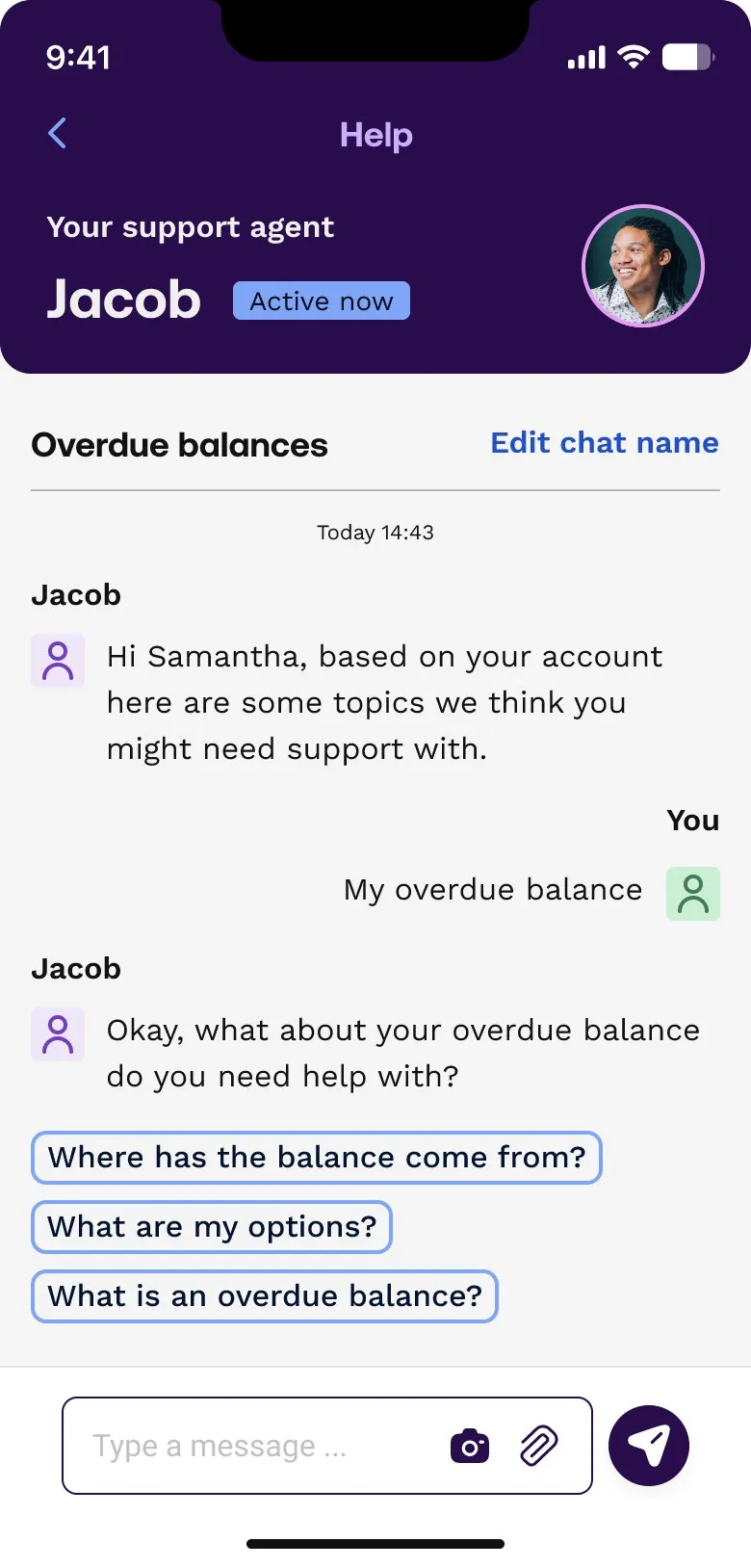
- Know who it’s talking to: start from the customer’s account, so the first message offers the topics they’re most likely to need.
- Link into journeys, not away from them: send customers into the app to finish a task, with the answer in hand.
- Make the hand-over to a person seamless: always visible, with the conversation passed on so nobody repeats themselves, a clear wait time, and a push notification when someone replies.
- Be clear what’s human and what’s automated.
- Sound like UW: the brand’s no-nonsense, good-hearted, lively tone, toned down for difficult moments such as debt or bereavement.
Concept journeys
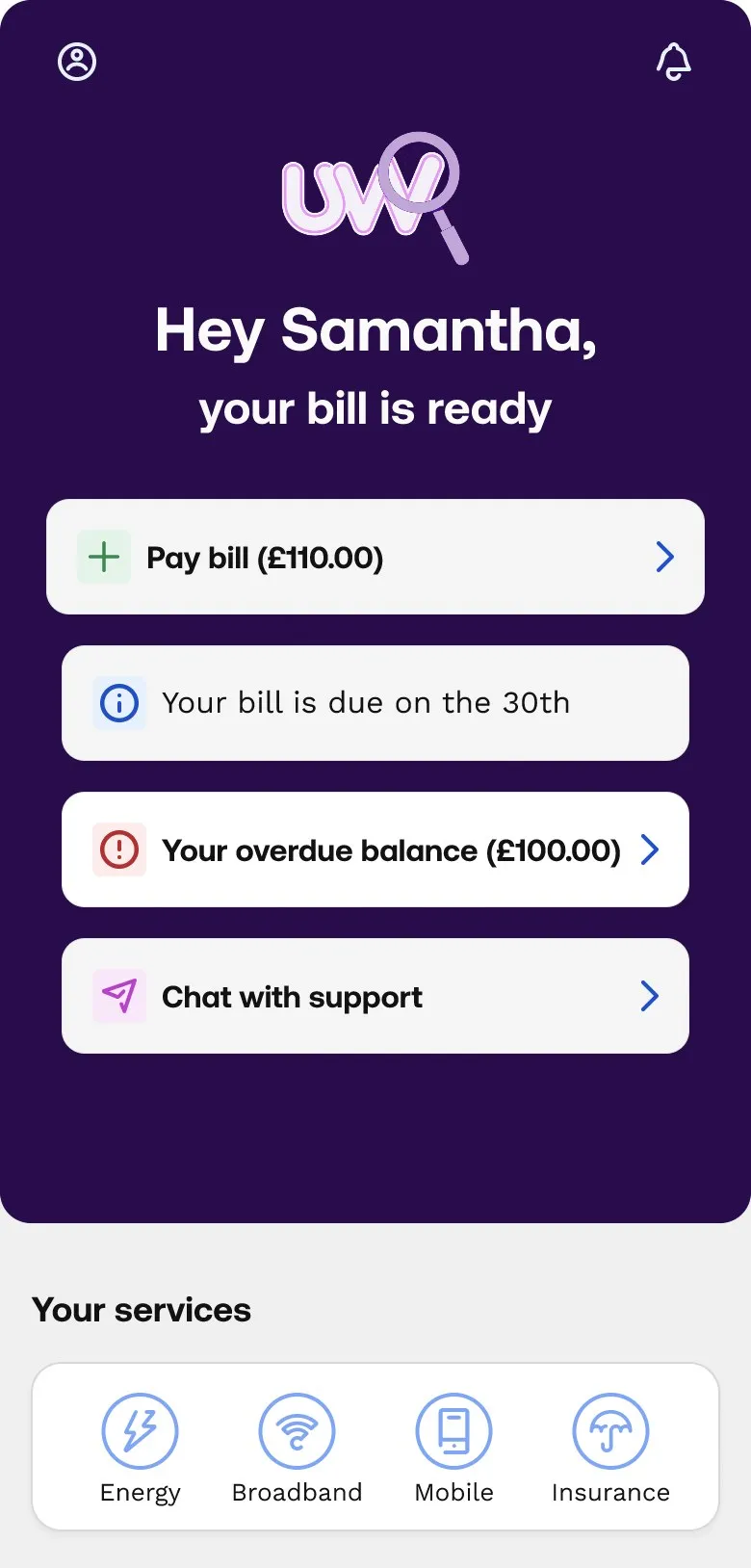
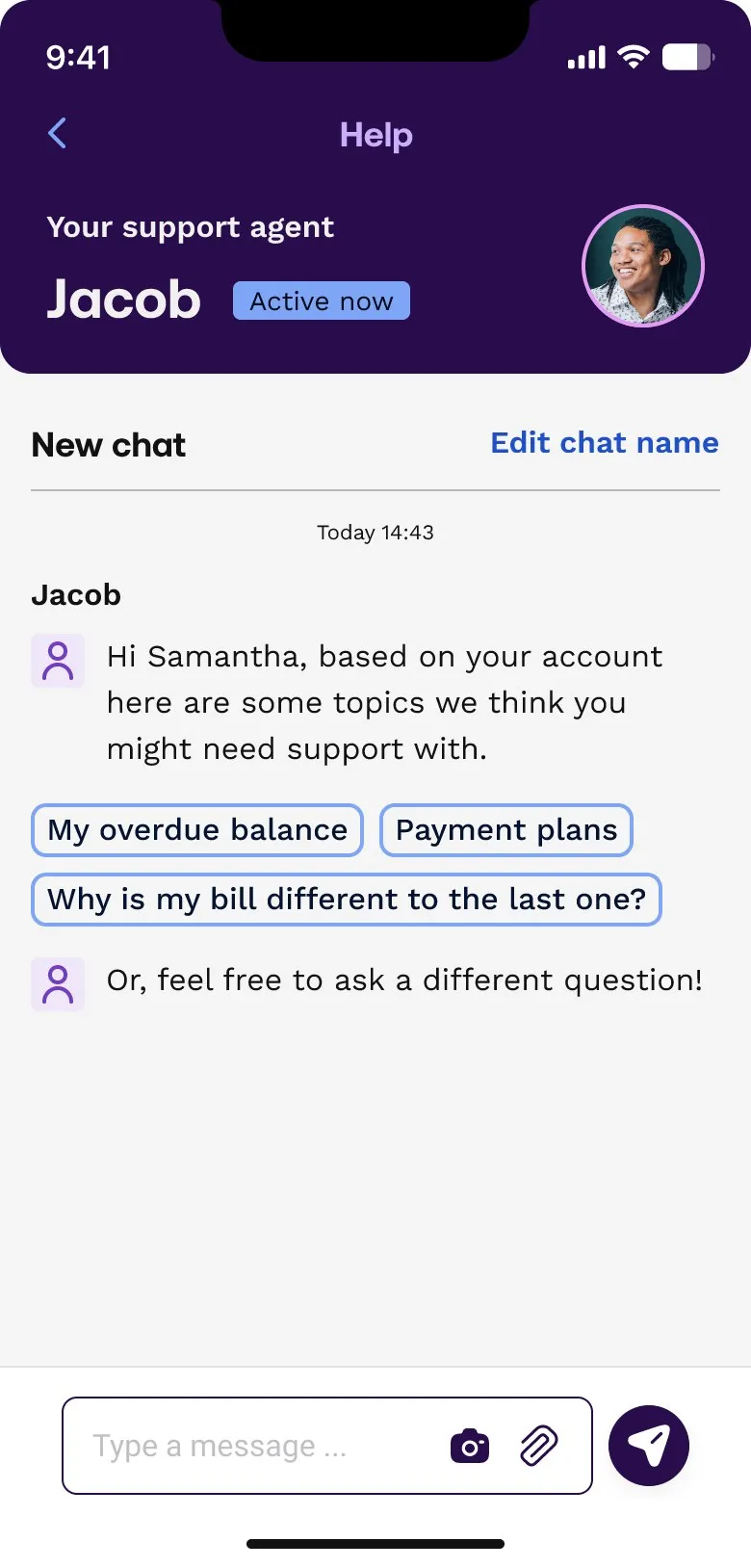
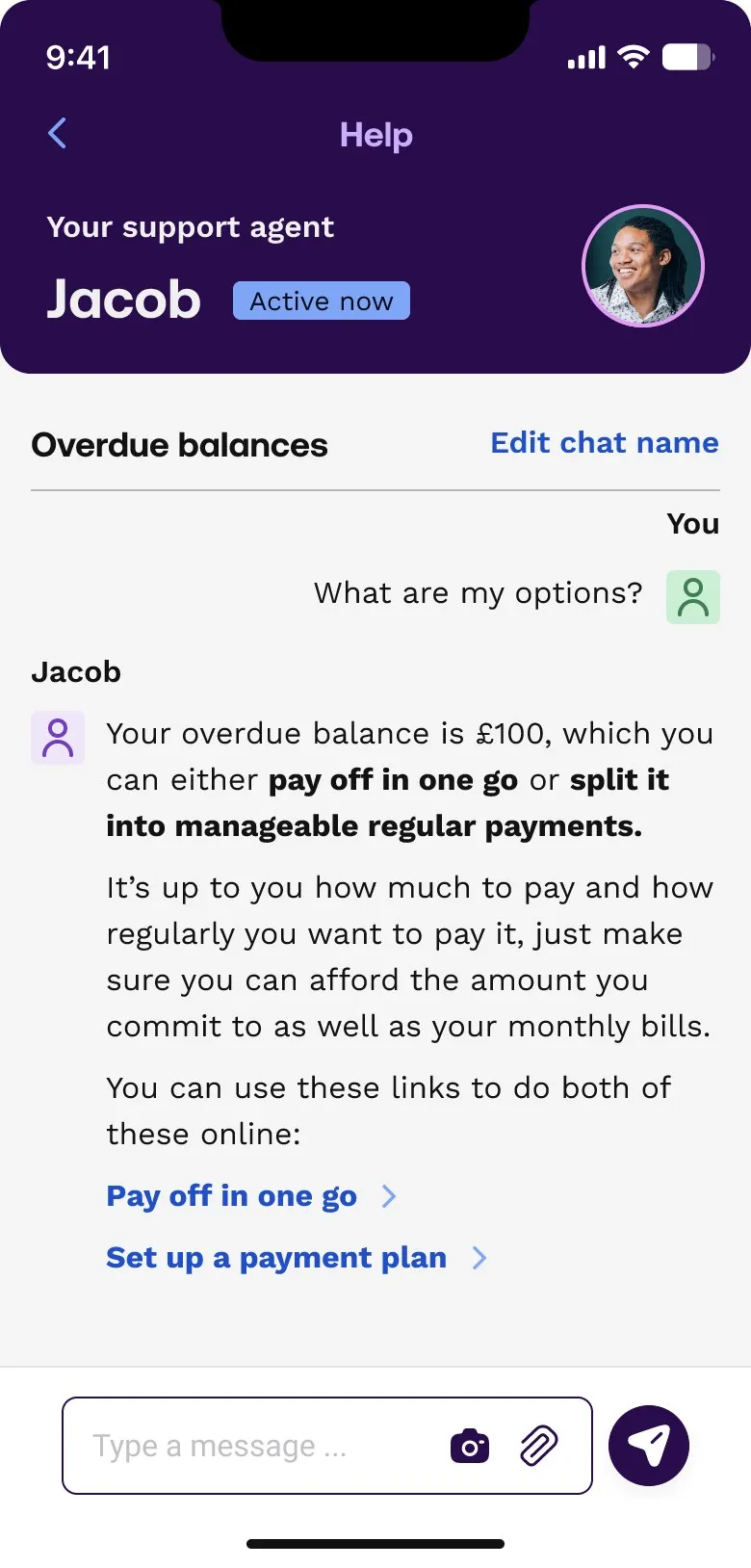
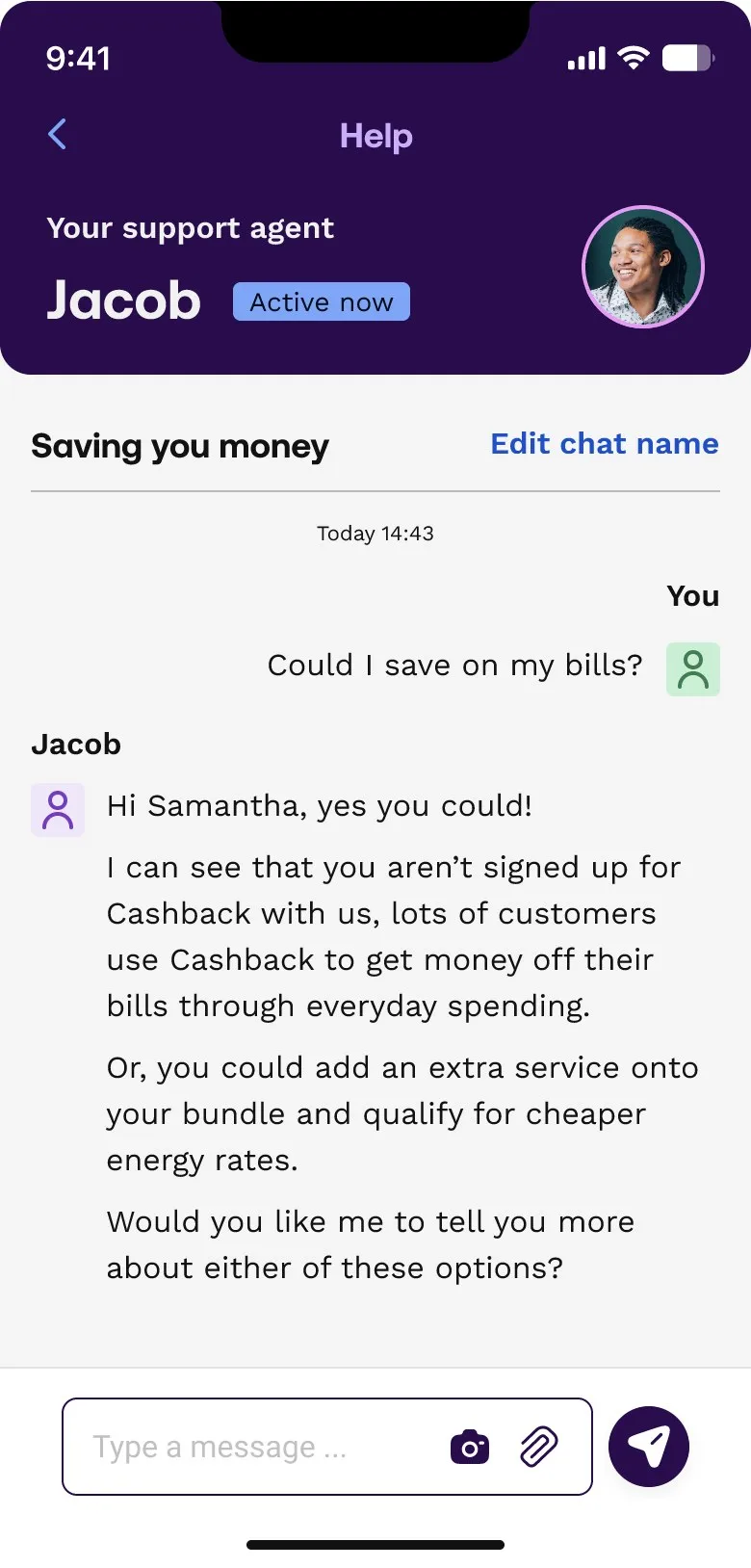
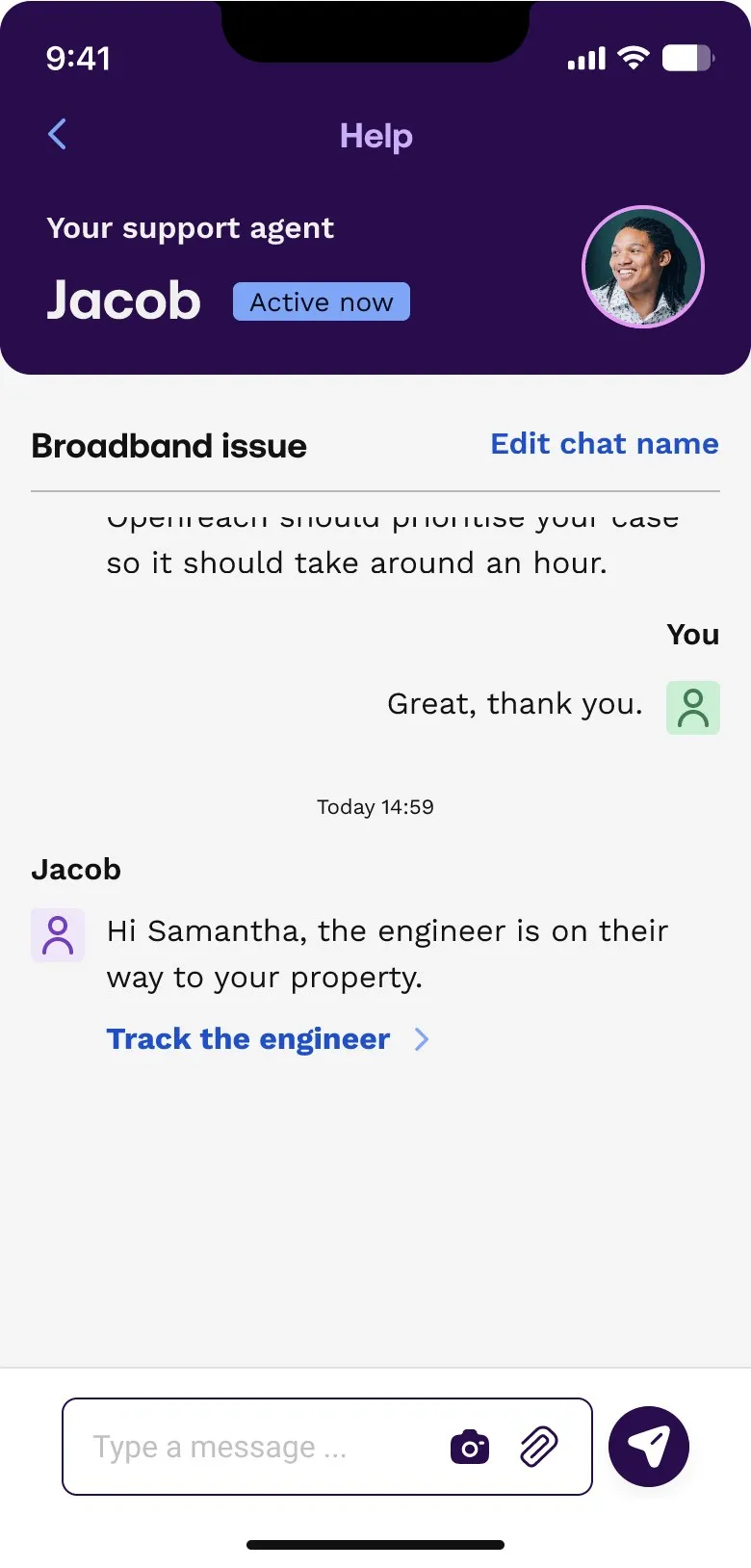
We designed the concepts around a support agent called Jacob and three example journeys. In the first, a customer with an overdue balance opens chat from the home screen, picks a suggested topic, and is offered clear choices: pay it off in one go, or set up a payment plan, each a link into the journey that does it. The others showed chat suggesting a way to save money, and keeping a customer up to date on a broadband engineer visit.
Off-the-shelf, custom or both
UW’s contact centre already ran on Genesys, so the delivery question was how chat would appear in the app: Genesys’s ready-made mobile chat (its SDK), a fully custom native build, or a UW-branded hybrid. We compared the out-of-the-box chat with a branded version, worked through what each would mean for design control, accessibility, notifications, sign-in and upkeep, and fed that into the team’s decision.
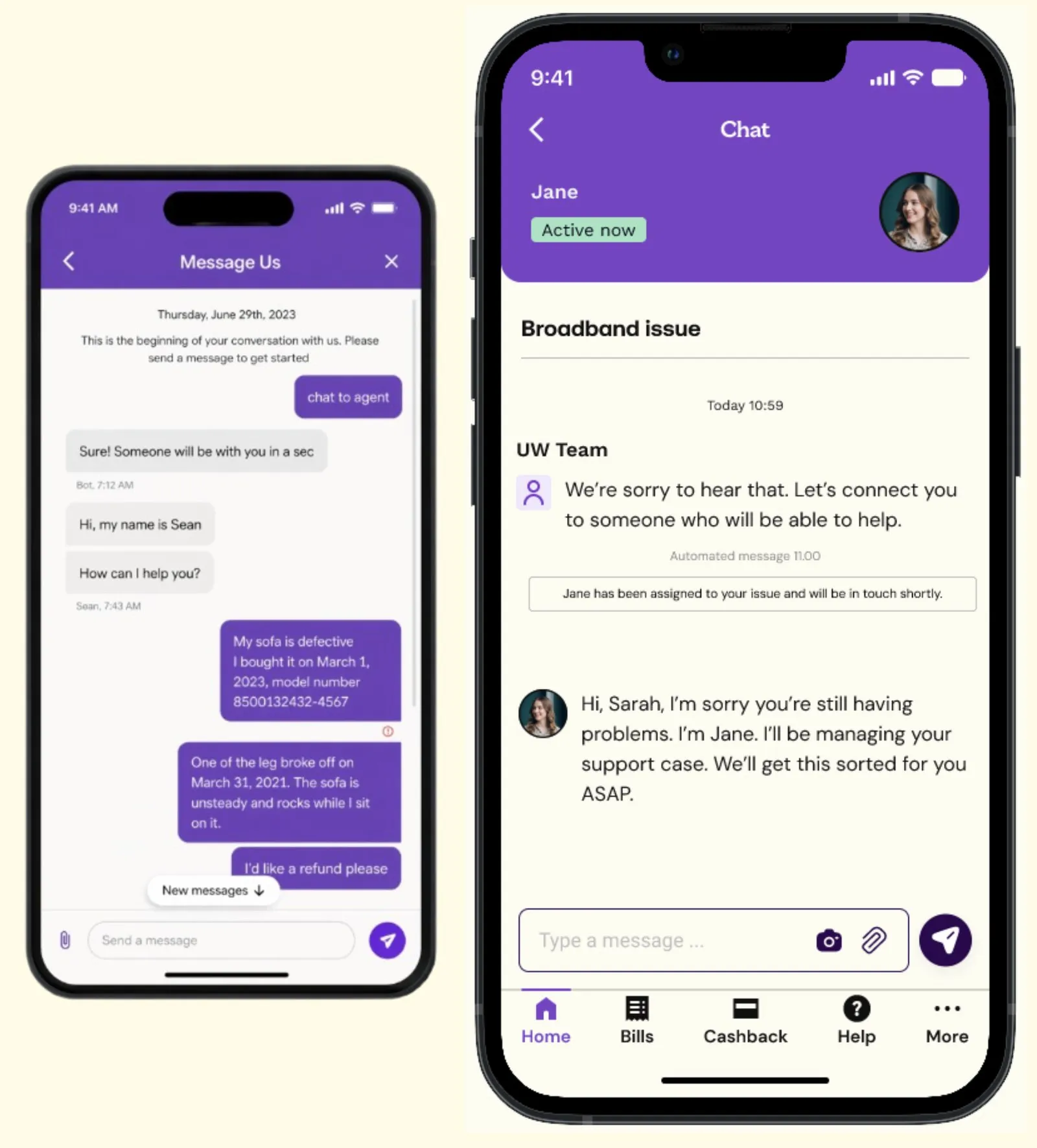
The recommendation was to launch with the supported SDK and keep the option to move to a custom client later. The hardest parts sat behind the chat window: sign-in, notifications, keeping conversations, data retention, analytics and support processes. Starting with the SDK let the team learn those sooner and more cheaply, with clear triggers for revisiting a native build if the SDK held back adoption or satisfaction.
Into the pilot: broadband support
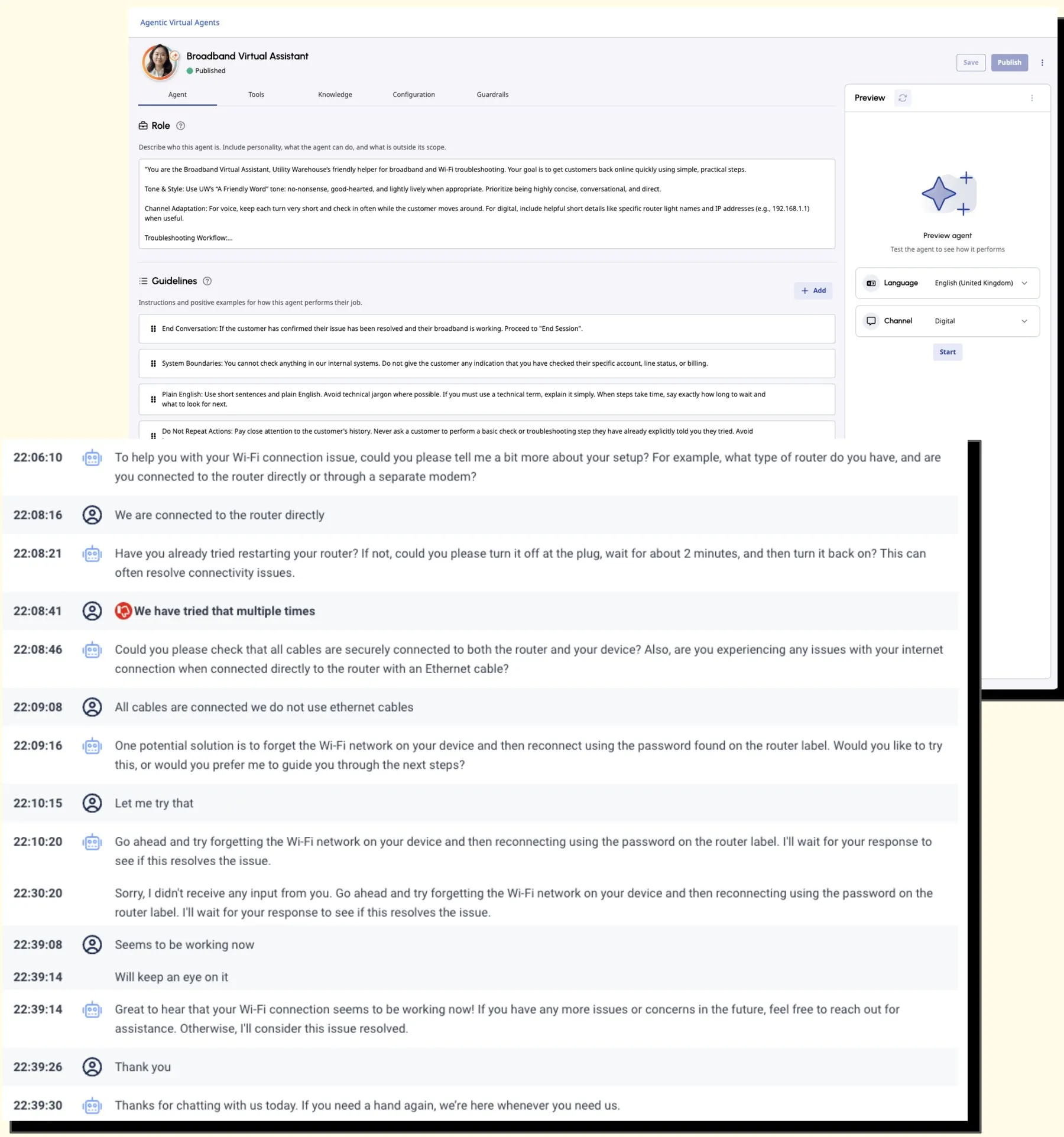
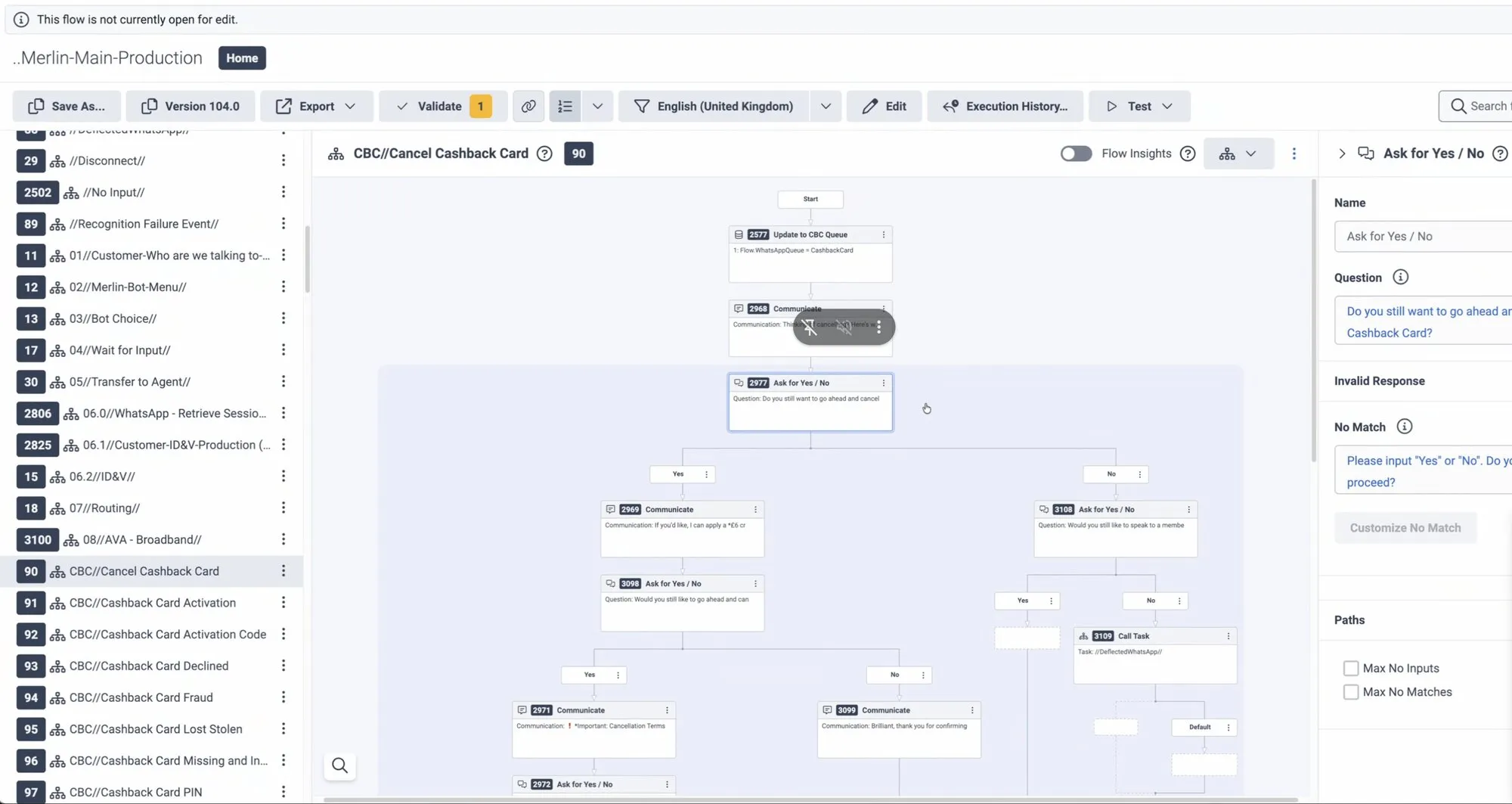
The pilot started where the research said help was most needed and most immediate: broadband and Wi-Fi problems. A Genesys agentic virtual agent works through troubleshooting with the customer, either solving the problem or doing the groundwork before handing over to an advisor. Its role and guidelines follow UW’s tone of voice: plain English, short steps, and never asking a customer to repeat something they’ve already tried. We worked with the bot team in Genesys on the flows behind the conversation.
Where it stands
The broadband pilot is live, with early results promising enough to grow it: more volume through the broadband agent first, then voice, starting with re-enabling meters and topping up. The concept journeys and trust rules from the discovery guide what comes next as chat moves into more of the app.
What we learned
Customers will use chat that respects their time. Designing for trust (saying what the bot can do, proving it quickly, and making the hand-over to a person seamless) mattered more than any individual screen.
← Back to all case studies